Hi,
I would like to suggest a manual method of encrypting single email in Outlook. Follow the mentioned method to secure Outlook emails:
Step 1. While composing new email message go to Option tab then click on More Options
Step 2. Select Message option and a dialog box will be shown
Step 3. Click on Security Settings button

Step 4. Check the first option Encrypt message contents and attachments
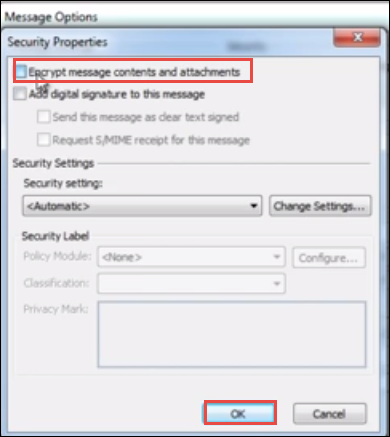
Step 5. Click OK and start composing a new message and send encrypted email.
Try this steps on any Outlook versions.
Hope you will get the best result!
Thanks!