Hi, follow the last approach to import PST file into Windows Outlook 2016.
Here are the steps:
1. Login to MS Outlook 2016.
2. Go to File → Open & Export → Import/Export.
3. Select Import from another program or file option then clicks on Next.
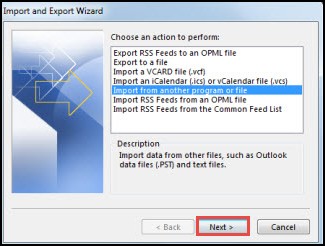
4. Click on Browse button to open PST file.
5. In next window click on Finish button to finalize the conversion process.
Follow the steps and reply for further query.
Have a great day!